When customers browse an e-commerce shop or marketplace layout, they expect to see clean product grids with accurate pricing structures. If a dynamic archive grid, category view, or multi-vendor storefront suddenly crashes into a blank section or displays a raw critical error line, your entire product catalog goes offline.
If you check your server logs, you will find an explicit TypeError stating that the system failed to execute a price retrieval method on a boolean value. Standard developer forums usually give the lazy advice to “reinstall your marketplace plugins or update your theme templates.” This does nothing to resolve the core issue. This error indicates a strict database linkage breakdown where your loop configurations are trying to pull pricing parameters for products that no longer exist or have corrupted structural identifiers.
Below is the technical breakdown of why this catalog crash happens and the exact code-level modifications required to secure your pricing loops.
The Error Snippet
When a product catalog page or multi-vendor shop archive crashes, your server’s background logs or debugging tools will output a trace that looks exactly like this:
Plaintext
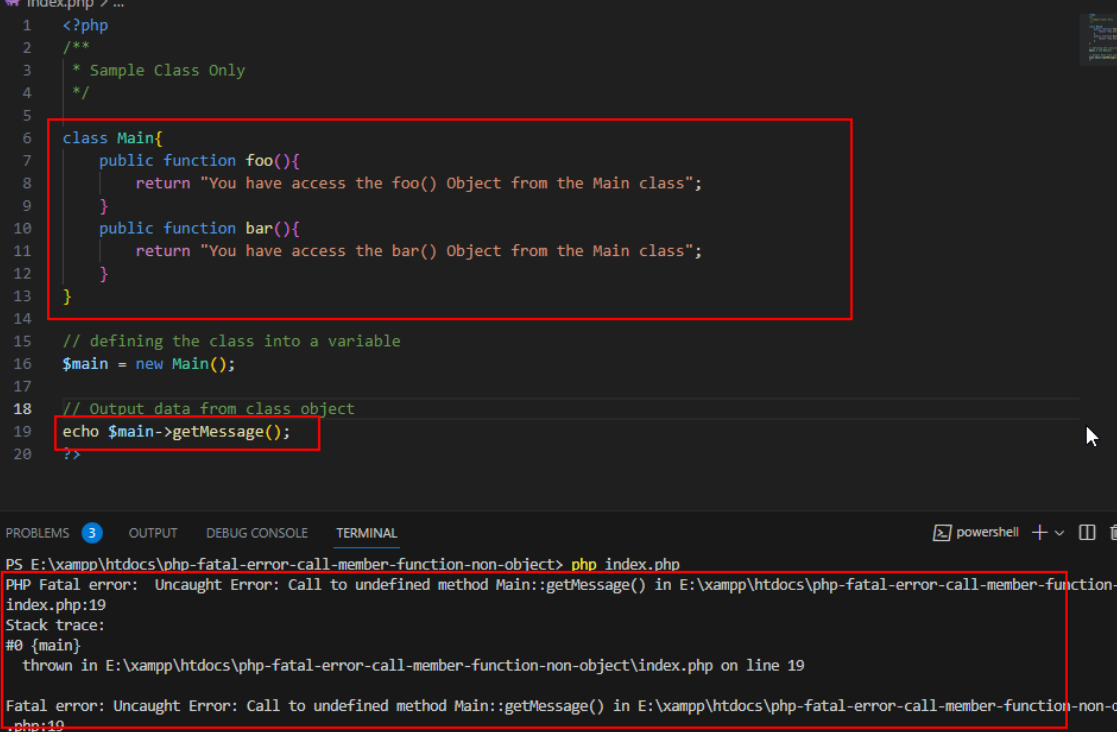
PHP Fatal error: Uncaught Error: Call to a member function get_price_html() on bool in /wp-content/plugins/dokan-lite/templates/products/products-listing.php:48
Stack trace:
#0 /wp-includes/template.php(790): require()
#1 /wp-content/plugins/dokan-lite/includes/theme-functions.php(242): dokan_get_template_part()
Why This Happens (The Real Technical Cause)
The function get_price_html() is an intrinsic class method used to pull and render formatted HTML price strings. It must run explicitly on a valid, instantiated product data object.
This fatal crash triggers due to an Object Resolution Failure inside your catalog generation loops.
When a multi-vendor plugin (like Dokan or WCFM) or a custom element grid queries the database to show a list of items, it pulls an array of target product IDs. It then runs a helper function—such as wc_get_product($id)—to build the data object.
If a vendor deletes a product directly via an unoptimized SQL query, if an import file gets corrupted midway, or if a translation plugin duplicates an archive list with mismatched metadata IDs, the object builder fails to find the product in the database. Instead of returning a rich data model, the initialization function returns a flat false boolean flag.
When your template file immediately attempts to run $product->get_price_html() without checking if the object load was successful, PHP tries to call the method directly on that false boolean. Because a primitive boolean data type cannot host object methods, the system forces a hard termination to prevent memory contamination.
How to Fix It Safely (Step-by-Step Solutions)
Follow these technical procedures to clean out orphaned database rows and wrap your shop rendering files in protective type checks.
Fix 1: Add a Defensive Object Validation Guard to Your Templates
If the error trace names a specific template file inside your active theme directory or a template override folder (such as products-listing.php or price.php), you must add a type validation check before the pricing line runs.
Locate the target line within the file via your server file explorer or FTP, and modify the instantiation block to mirror this defensive strategy:
PHP
// 1. Fetch the product object instance safely using the local row ID
$product_instance = wc_get_product( get_the_ID() );

// 2. Defensive Check: Ensure the object is instantiated successfully and is not a boolean false
if ( is_object( $product_instance ) && method_exists( $product_instance, 'get_price_html' ) ) {
    // Render the price display layer safely
    echo $product_instance->get_price_html();
} else {
    // Fallback path: Output a placeholder or hide the broken node cleanly without crashing
    echo '<span class="price-unavailable">Price Unavailable</span>';
}
Fix 2: Purge Orphaned Product Metadata via Database Directives
If your multi-vendor marketplace database is cluttered with legacy product references from deleted vendor accounts or incomplete synchronization files, you can sweep your system tables to remove corrupted IDs.
1.Backup your live table indexes:
Step 1.
Before running raw manipulation scripts on your database engine, execute a comprehensive backup of your table records using your hosting configuration control panel.
2.Identify missing structural references:
Step 2.
Open your database explorer tool (phpMyAdmin), choose your primary data framework, and navigate to the SQL query terminal window.
3.Purge orphaned relations from the metadata tables:
Step 3.
Execute the following technical SQL cleanup command to locate and wipe out any product relationship rows that point to post IDs that no longer exist in your master data index:
SQL
DELETE FROM wp_postmeta WHERE meta_key = '_product_id' AND post_id NOT IN (SELECT ID FROM wp_posts);
4.Flush the system memory cache layers:
Step 4.
Go to your web application administration dashboard, navigate to your performance optimization settings (such as LiteSpeed Cache, Redis Object Cache, or transient tools), and click Clear All Object Cache. This forces the database engine to generate brand new, clean lookup arrays on the next catalog page load.