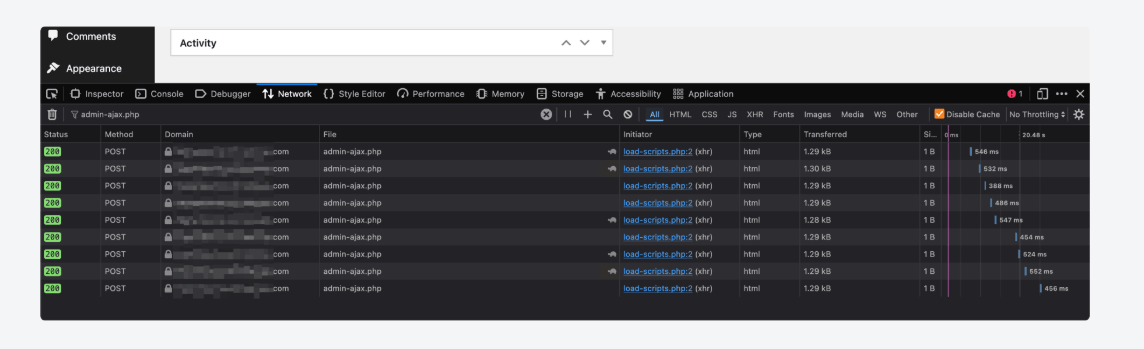
Dynamic front-end elements—such as interactive search bars, live product filters, and AJAX-powered popups—rely on constant background communication with your server. If a user triggers one of these features and it suddenly hangs or fails entirely, your user experience breaks down.
When you check your browser’s inspection panel or check your server’s backend debug files, you will find an explicit fatal error stating that the function is_plugin_active() is completely undefined during an AJAX call. Standard forum advice usually suggests “re-saving your permalinks” or “disabling all plugins.” This is generic advice that misses the actual structural problem. This error indicates an Asynchronous Lifecycle Initialization Gap where a plugin or theme script is attempting to run an environmental check via an asynchronous pathway before WordPress has loaded its backend administration library files.
Below is the technical breakdown of why this script execution drops and the exact code modifications needed to secure your background functionality.
The Error Snippet
When a dynamic search query, interactive filter, or background popup script fails to process data, your server’s wp-content/debug.log or your browser’s Network tool panel (admin-ajax.php response) will capture this precise trace:
Plaintext
PHP Fatal error: Uncaught Error: Call to undefined function is_plugin_active() in /wp-content/plugins/custom-search-filter/inc/ajax-handler.php:12
Stack trace:
#0 /wp-admin/admin-ajax.php(190): require_once()
#1 {main} thrown in /wp-content/plugins/custom-search-filter/inc/ajax-handler.php on line 12
Why This Happens (The Real Technical Cause)
The conditional utility function is_plugin_active() is built to check whether a specific software extension is active across your site ecosystem. Because this function is primarily intended for use inside the backend dashboard panel, WordPress isolates its definition file (/wp-admin/includes/plugin.php) so it only runs during administrative dashboard page renders to conserve server processing memory.
This fatal crash is triggered by an Asynchronous Context Disconnect.
When a user interacts with a frontend slider, dynamic popup, or filter grid, the asset sends an asynchronous background POST request to the server at /wp-admin/admin-ajax.php.
While admin-ajax.php sits inside the administrative folder path, it does not load the full administrative library suite by default. It boots a lightweight, optimized version of the WordPress core to process background data transfers as fast as possible.
If a third-party plugin or theme script hooks into this AJAX routing pipeline and attempts to check dependencies using is_plugin_active(), the PHP compiler searches its active execution memory map. Because the backend core file containing that function has been left out of the lightweight AJAX boot sequence, the system hits an unmapped reference pointer and terminates execution instantly. This shuts down your dynamic frontend components mid-stream.
Follow these technical procedures to cleanly include the missing functional dependencies inside your theme hooks or patch the execution pathways defensively.
Fix 1: Implement an Administrative Class Dependency Guard via functions.php
If the error log points to a premium theme file or an external plugin that you cannot easily edit without breaking future update paths, you can inject a defensive safety bridge. This forces WordPress to load the required administrative libraries into memory the moment any AJAX routing loop initializes.
Open your active child theme directory via FTP or File Manager, open functions.php, and append this priority-one initialization patch to the base of the file:
PHP
// 1. Hook early into the asynchronous administrative request entry point
add_action( 'admin_init', function() {
    // 2. Lifecycle Check: Verify if the system is currently processing an internal AJAX loop
    if ( wp_doing_ajax() ) {
        // 3. Force-include the core backend file containing the required helper function
        $target_admin_path = ABSPATH . 'wp-admin/includes/plugin.php';

        if ( file_exists( $target_admin_path ) ) {
            require_once $target_admin_path;
        }
    }
}, 1 ); // Priority 1 locks this file structure into memory before third-party handlers run
Fix 2: Code-Level Sanitization Patch for Custom Developers
If you are modifying your own custom sync functions, product filter scripts, or popup triggers, you should avoid modifying the global engine state. Instead, wrap your specific conditional query loops in an explicit inline fallback configuration statement.
Locate the exact file and line number highlighted in your error logs, and update your logic to look exactly like this:
PHP
// 1. Inline Safety Shield: Verify if the function exists in the current runtime memory
if ( ! function_exists( 'is_plugin_active' ) ) {
    // Manually load the administrative file path wrapper specifically for this local loop
    require_once ABSPATH . 'wp-admin/includes/plugin.php';
}

// 2. Proceed with your standard dependent feature lookup checks safely
if ( is_plugin_active( 'woocommerce/woocommerce.php' ) ) {
    // Run your advanced e-commerce filter or popup data parsing actions here
    $response_data = array( 'status' => 'success', 'html' => 'Products found...' );
}
Once saved, flush your server’s opcode and cache setups (such as LiteSpeed Cache or your hosting provider’s PHP memory pool settings). Your background handlers will instantly resolve the class maps, restoring smooth, unbroken functionality to your frontend popups, dynamic filters, and search blocks.