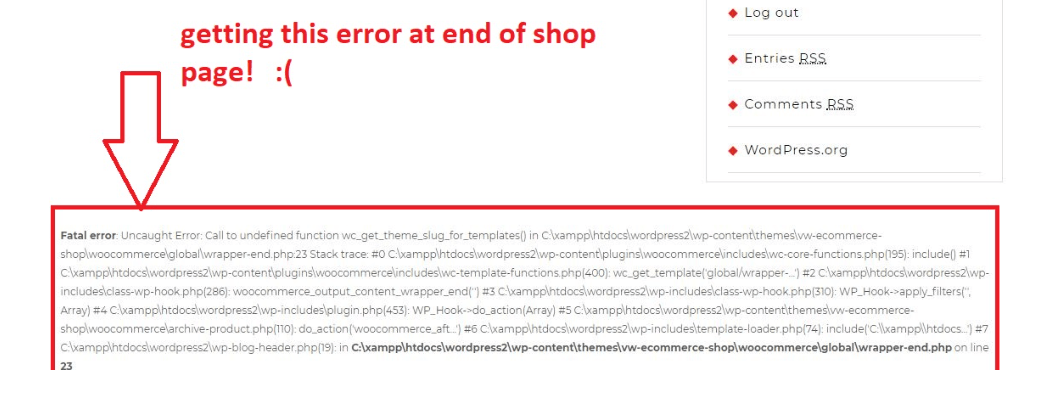
When a customer lands on a variable product page—trying to select a specific size, color, or configuration options—and the page fails to render, your store’s sales pipeline grinds to a halt. Instead of interactive options, the user sees a blank layout or a critical crash message.
When you inspect your server’s backend error files, you find an undefined method crash referencing WC_Product_Variable. Standard forum topics usually suggest switching themes, which is unhelpful because this crash indicates a strict data-type mismatch inside your database or theme template files.
Below is the technical reason why WordPress fails to process your product dropdown variables and the exact methods to restore your product pages cleanly.
The Error Snippet
When a product page or layout swatch component fails to load on the front-end, your backend error_log registers this exact stack trace:
Plaintext
CRITICAL Uncaught Error: Call to undefined method WC_Product_Variable::get_available_variations() in /wp-content/themes/your-theme/woocommerce/single-product/add-to-cart/variable.php:24
Stack trace:
#0 /wp-includes/template.php(790): require()
#1 /wp-content/plugins/woocommerce/includes/wc-template-functions.php(1640): woocommerce_get_template()
Why This Happens (The Real Technical Cause)
The method get_available_variations() belongs exclusively to the WC_Product_Variable class within the WooCommerce engine. It is responsible for compiling prices, attributes, and stock status for every choice combination.
This fatal error occurs due to an Object Polymorphism Failure inside custom shop loops or custom single-product page overrides.
When your theme or a layout customizer plugin runs a product grid query, it instantiates the global $product object. If the loop handles a mixture of simple and variable items, or if a custom query loads a regular WC_Product or generic WP_Post instance instead of the explicit WC_Product_Variable subset instance, the script still forces a call to $product->get_available_variations(). Because a base product or simple product object does not possess this specific variations method, PHP terminates execution instantly to prevent memory leakage, breaking the entire layout display.
How to Fix It Safely (Step-by-Step Solutions)
Use these technical code-level updates to wrap your template queries in defensive conditions and force correct type casting.
Fix 1: Implement Dynamic Type Validation inside Templates
If your error points to a specific template line inside your theme folder (such as a modified variable.php or content-single-product.php), you must add a type-check filter before calling variation methods.
Locate the failing template file via FTP or File Manager and update the assignment block with this logic:
PHP
global $product;

// 1. Ensure the global product object exists
if ( ! is_object( $product ) ) {
    return;
}

// 2. Type-Check: Force the object to validate as a variable type before compiling data
if ( $product->is_type( 'variable' ) ) {
    // Re-instantiate explicitly as a Variable class object if it was loaded generic
    $variable_product = new WC_Product_Variable( $product->get_id() );
    $available_variations = $variable_product->get_available_variations();
} else {
    // Fallback logic for simple or external products to prevent crashes
    $available_variations = array();
}
Fix 2: Bypass Heavy Resource Loading via Children IDs
If your product has dozens of sizes or color attributes, get_available_variations() can occasionally run out of server execution time and trigger crashes because it attempts to process display HTML for every single item inside a single array loop.
You can rewrite custom theme functions to pull raw variation IDs instead of fully compiled objects, which uses 90% less server memory:
1.Isolate the variable product validation path:Step 1.
Verify the active product data model matches your structural targets to avoid running scripts on flat, simple catalog items.
PHP
if ( $product->is_type( 'variable' ) ) {
2.Extract raw children arrays directly:Step 2.
Instead of calling the heavy get_available_variations() array, use get_children() to instantly grab a clean, low-overhead list of variation IDs directly from the database indexing table.
PHP
$variation_ids = $product->get_children();
3.Instantiate individual data nodes safely:Step 3.
Loop through the flat ID array to pull stock status or custom metadata independently without forcing the server to load heavy display strings all at once.
PHP
foreach ( $variation_ids as $id ) {
    $variation_obj = wc_get_product( $id );
    if ( $variation_obj && $variation_obj->is_in_stock() ) {
        // Process clean data rows here
    }
} }
Pro-Tip for Advanced Layouts: If this crash began right after installing an advanced variation swatch plugin (for displaying color circles instead of regular text dropdowns), the plugin is likely attempting to parse your catalog loop prematurely. You can quickly force the default WooCommerce rendering behavior by adding this filter line directly to the base of your child theme’s
functions.phpfile:
add_filter( 'woocommerce_hide_invisible_variations', '__return_false', 99 );