A sudden freeze during bulk inventory updates, concurrent checkout rushes, or synchronized data imports can completely halt e-commerce operations. When a customer pays or an administrator modifies a stock sheet, the screen spins and ultimately drops a database exception.
If you inspect your server’s backend debug files or database error logs, you will find a strict Deadlock found database error. Standard developer advice usually suggests “re-saving your permalinks” or “disabling all plugins.” This is generic advice that ignores the actual constraint. This error indicates a transactional concurrency conflict where two separate database queries have blocked each other permanently, forcing the database engine to terminate one of them to prevent an infinite loop.
Below is the technical breakdown of why these database deadlocks happen and the exact methods to optimize your transaction handling.
The Error Snippet
When an inventory sync or simultaneous checkout operation fails, your server’s wp-content/debug.log or MySQL error log will capture this precise trace:
Plaintext
WordPress database error Deadlock found when trying to get lock; try restarting transaction for query
UPDATE `wp_options` SET `option_value` = '1719072837' WHERE `option_name` = '_transient_timeout_woocommerce_stock_lock'
from require('wp-blog-header.php'), wp(), My_Stock_Sync->process_updates()
Why This Happens (The Real Technical Cause)
A deadlock is not a software bug or a sign of corrupted files; it is an unavoidable safety feature of relational database engines like MySQL or MariaDB using the InnoDB storage engine.
This error triggers due to a Mutual Dependency Lock Condition across concurrent processing threads.
Thread 1 (Checkout Sync)                      Thread 2 (ERP Inventory Update)
      │                                                     │
      ▼                                                     ▼
Locks Row A: `wp_wc_product_meta_lookup`              Locks Row B: `wp_postmeta` (Stock Status)
      │                                                     │
      ▼                                                     ▼
Tries to acquire Lock on Row B...                     Tries to acquire Lock on Row A...
      │                                                     │
      └──────────────────────► [ DEADLOCK ] ◄───────────────┘
                     (MySQL terminates Thread 1 or 2)
When two distinct server threads attempt to update the exact same database rows in a different sequential order at the same microsecond, a conflict occurs. Thread 1 locks Row A and waits for Row B to release. Simultaneously, Thread 2 locks Row B and waits for Row A to release.
Because neither thread will give up its initial lock until its entire transaction finishes, they step into a permanent standoff. The MySQL engine detects this loop, steps in within seconds, chooses one transaction as a “victim,” terminates it forcefully, and rolls back its changes to protect database integrity. This leaves you with a broken frontend request or an interrupted inventory sync loop.
How to Fix It Safely (Step-by-Step Solutions)
Follow these direct technical steps to implement a programmatic transaction retry wrapper and optimize your table indices to minimize lock holding times.
Fix 1: Implement a Structural Retry Wrapper via a Utility Function
Since database deadlocks are transient by nature, the absolute industry-standard fix is to catch the deadlock exception and instantly re-run the query. The second attempt almost always succeeds because the competing thread has already finished its loop.
If you are running custom sync scripts, cron jobs, or background hook routines, wrap your execution logic in this defensive retry wrapper:
PHP
function techbic_execute_transaction_with_retry( $query_callback, $max_retries = 3 ) {
    $attempts = 0;

    do {
        $attempts++;
        try {
            global $wpdb;
            // Start the explicit database transaction block
            $wpdb->query( 'START TRANSACTION' );

            // Run the custom update/insert database operations
            $result = call_user_func( $query_callback );

            $wpdb->query( 'COMMIT' );
            return $result;
        } catch ( Exception $e ) {
            global $wpdb;
            $wpdb->query( 'ROLLBACK' );

            // Check if the crash error code or message points to a classic deadlock (MySQL Error: 1213)
            if ( false !== strpos( $e->getMessage(), 'Deadlock found' ) && $attempts < $max_retries ) {
                // Introduce a tiny microsecond pause (exponential backoff) before trying again
                usleep( $attempts * 100000 );
                continue;
            }
            throw $e; // Re-throw if it's a different error or max retries are exhausted
        }
    } while ( $attempts < $max_retries );
}
Fix 2: Optimize Indexing and Clean Up Bloated Metadata
Deadlocks occur more frequently when queries take too long to scan tables, holding locks open for extended windows. If your database has to run a full table scan to find a row because of poor indexing or table bloat, the likelihood of a collision increases dramatically.
1.Purge expired transients and cache leftovers:
Step 1.
Go to your admin panel sidebar and navigate to WooCommerce -> Status -> Tools. Locate Clear WooCommerce transients and Clear expired transients, then run both. This cleans up thousands of temporary option locks from your wp_options table.
2.Add Missing Database Indexes to Stock Fields:
Step 2.
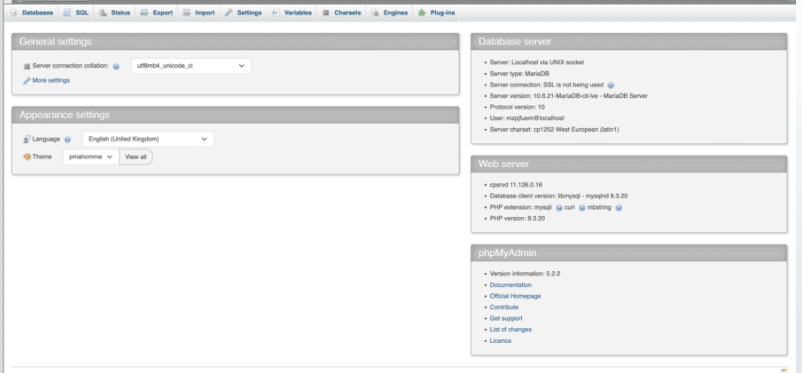
Open your database administration panel (phpMyAdmin), choose your primary active table cluster, and navigate to the SQL terminal tab. Run the following command to make metadata lookup routines infinitely faster:
SQL
ALTER TABLE wp_postmeta ADD INDEX custom_meta_key_value (meta_key(191), meta_value(191));
(Note: If your database prefix is unique, adjust wp_ to match your actual structural configuration).
3.Adjust the MySQL InnoDB Lock Timeout Threshold:
Step 3.
If your server handles massive flash sales with heavy checkout volume, you can configure your server to drop locks faster instead of letting them pile up. Open your master server configuration console or ask your host to adjust your my.cnf file settings:
Ini, TOML
innodb_lock_wait_timeout = 30
innodb_print_all_deadlocks = 1
(Setting print_all_deadlocks to 1 forces the server to dump the exact conflicting code queries straight into your standard MySQL error log, making future tracking much simpler).